

What is the official MuMu Player download site
The official download site is mumuemulator.com (by NetEase) - ad-free, with a built-in game center, and fine for overseas users too. Typing the official domain by hand is the safest first step. Many third-party sites (domains like c.com.cn or app.com.cn) bundle extra software or ship fake builds, so always get it from mumuemulator.com.
Where can I download the PC version of MuMu Player safely without bundled software
Downloading only from the official site mumuemulator.com is safest - ad-free, with a built-in game center, and the same for overseas users. The community widely advises against small sites, forums and unknown download portals, whose builds are often bundled or faked. Trust the official domain mumuemulator.com over any third-party listing.
Is there a Mac version of MuMu Player
Yes. The download page mumuemulator.com/download has MuMuPlayer for Mac - download the dmg and double-click to install. Note the Mac version only supports Apple Silicon (M1/M2/M3 and newer); Intel Macs are not compatible. It needs macOS 11+, 8GB+ RAM recommended, and about 5GB free. The Mac version is the paid Pro line with a 7-day free trial.
Does the Mac version of MuMu Player support M1/M2/M3 MacBooks
Yes. MuMuPlayer for Mac is built for Apple Silicon, so M1/M2/M3 and newer all work, and it was among the first to support M-series. Intel Macs are not compatible. It needs macOS 11+, 4GB RAM (8GB+ recommended) and about 5GB free. The Mac version is the paid Pro line with a 7-day free trial.
System requirements for MuMu Player
To run MuMu Player, a VT-capable CPU, 8GB+ RAM and about 5GB free disk are recommended; for multi-instance or high graphics, use a discrete GPU and 16GB RAM.
| Item | Minimum | Recommended |
|---|---|---|
| CPU | Intel/AMD dual-core (VT on) | Intel/AMD quad-core+ (VT on) |
| Memory | 4 GB | 8 GB or more |
| Graphics | Integrated graphics | Discrete GPU (GTX 1050+) |
| System | Windows 7 / 10 / 11 | Windows 10 / 11 64-bit |
| Disk | ~5 GB free | SSD · 10 GB free |
How do I download the latest official MuMu Player 12
Just download the latest build from the official site mumuemulator.com - recommended for overseas users too, ad-free, with a built-in game center and multilingual support. The download page gives you the latest installer, which then fetches the Android image and runtime automatically. Avoid small third-party sites; if you must, the relatively trustworthy option is Tencent Software Center (pc.qq.com).
Where do I download the Traditional Chinese version of MuMu Player
Download from the official site mumuemulator.com. It supports multiple languages (around 13 localizations) with localized support for Taiwan and Hong Kong, ad-free and with a built-in game center, suitable for these regions and overseas users. Stick to the official domain to avoid bundled or fake builds; Taiwan communities like gdaily also have install guides.
Downloading MuMu Player in Malaysia is very slow - any way to speed it up
First download from mumuemulator.com, as overseas routes are usually smoother. If still slow, try off-peak, a different network or browser. There is also a community trick: on a machine that already has it, copy the two nemu-prefixed executables from C:\Users\name\AppData\Local\Temp to another machine Temp folder, then run the online installer - it finishes fast. This is unofficial and must be re-extracted after updates.
Is the installer downloaded from the official MuMu Player site genuine
Yes, what you download from the official site is genuine. The official domain is mumuemulator.com, and Tencent Software Center (pc.qq.com) is a relatively trustworthy third-party listing. Beware sites like mumumoniqi-c.com.cn or mumuapp.com.cn and forums, which may serve bundled or fake builds. Recognizing the official domain is the first safety step.
Compiled from mumuemulator.com, mumu.163.com, support.apple.com, pc.qq.com.
More questions
Below are more frequently asked questions about Download. Click any item to expand the full answer.
The official MuMu Player exe is flagged and blocked by my browser - is it safe?
As long as it came from the official domain mumuemulator.com, it is generally a false positive. MuMu is an official NetEase product, listed on Tencent Software Center; emulator/virtualization software is often misflagged by browsers and antivirus. Re-download from the official domain and temporarily allow it during install. If unsure, get it from pc.qq.com.
Antivirus reports a virus when installing MuMu Player - should I trust and allow it?
If the installer came from the official domain mumuemulator.com, you can usually allow it. Emulator/virtualization software calls low-level virtualization and is often misreported by Defender, 360, Huorong or PC Manager. Both community and official advice is to temporarily disable security during install. The key is a correct source - never allow builds from small sites.
What are the PC requirements for MuMu Player? Can my computer run it?
The international site lists for Windows: Win7+ 64-bit; a 4-core+ CPU (e.g. i5-7500 class) that supports and has VT enabled; 4GB+ RAM; a GTX950-class GPU or better; about 2GB on the install drive and 1.5GB on the system drive. With the Android image the real footprint is about 4-5GB. VT is the key to smooth running. The Mac version only supports Apple Silicon.
MuMu Player asks me to enable virtualization (VT) on install - how do I turn it on?
Enable VT in the BIOS. Enter BIOS on boot (desktops often Del/F2, laptops F10/F12/Esc), set Intel Virtualization Technology to Enabled on Intel, or SVM Mode to Enabled on AMD, then save and reboot. If you are sure VT is on but MuMu still says off, the official troubleshooting page points to conflicts with Windows Hyper-V or Memory Integrity.
MuMu Player shows a black or white screen after install - how do I fix it?
A black/white screen usually means VT virtualization is off or the GPU/virtualization environment conflicts. First confirm VT is enabled in BIOS (Intel Virtualization Technology or AMD SVM Mode set to Enabled); if it is on but still wrong, check for conflicts with Windows Hyper-V or Memory Integrity and disable them. Also ensure a GTX950-class GPU and 4GB+ RAM, and avoid Chinese characters or spaces in the install path.
Is downloading MuMu Player free? Will it charge me after install?
The Windows/PC version (including the PC build on mumuemulator.com) is completely free to download and use, with no subscription and no paywalled features. Only the Mac version (MuMuPlayer Pro) is paid, with a 7-day trial. Note: a free emulator does not make games free - in-game purchases are decided by each game and are unrelated to MuMu. The free PC build has ads, which you can turn off.
How much is MuMu Player Pro membership, and how can overseas users pay?
Pro membership applies only to the Mac version. The officially listed price is auto-renewing monthly at 28 RMB; there are also 30/90/365-day tiers, but single-purchase amounts are not published and should be checked in the Mac client Profile - Purchase/Renew. Payment is WeChat or Alipay QR in RMB, so overseas users need a usable WeChat or Alipay (verified, card-linked).
In Singapore, can I pay for MuMu Player membership with a credit card or PayPal?
Per the official page, Mac Pro membership is paid only by WeChat or Alipay QR in RMB; there is no credit card or PayPal option and no separate overseas purchase policy. So in Singapore you would need a usable WeChat or Alipay. If you only want the Windows/PC version, it is completely free with nothing to pay - charging only applies to the Mac version.
Is MuMu Player installed on a PC? Can I install it on an Android phone?
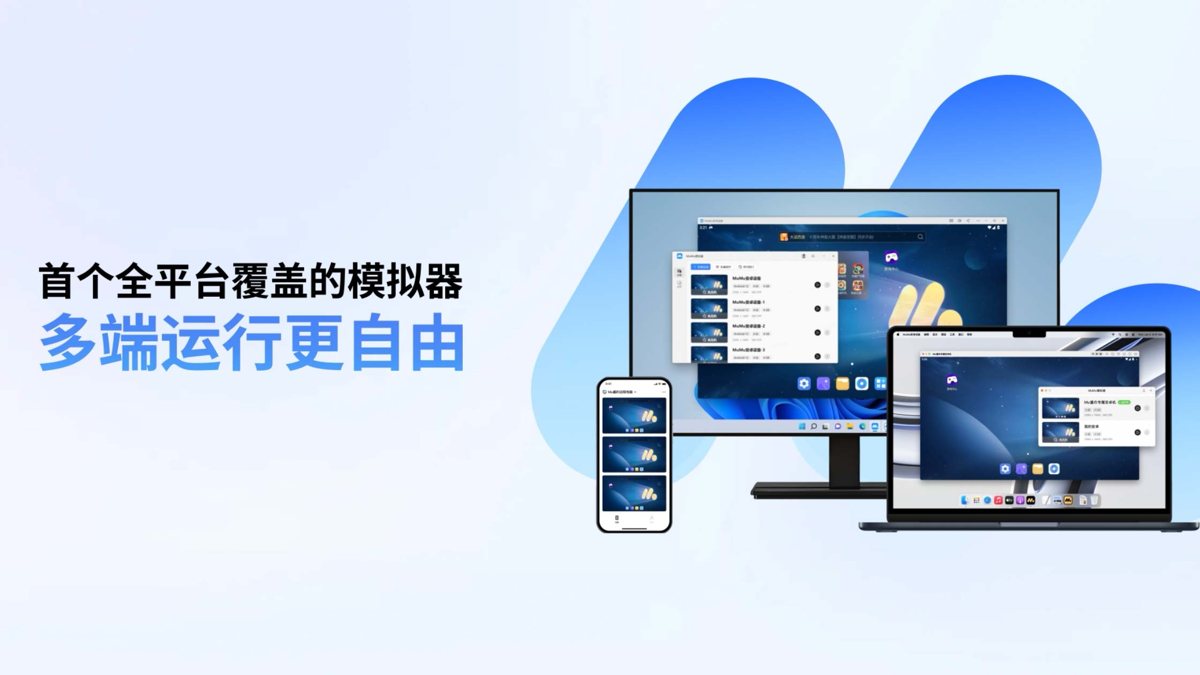
MuMu Player is a PC Android emulator, supporting Windows and macOS (Mac only on M-series). It simulates an Android device inside your computer, so it is not an app you install on an Android phone. There is a separate iOS/Android companion app for remotely controlling the PC emulator, but the emulator itself still runs on the computer.
My MuMu Player download stopped halfway - how do I resume or re-download?
The safest path is to re-download the installer from mumuemulator.com. There is also a data-saving community trick: on a machine that already has it, copy the two nemu-prefixed executables from C:\Users\name\AppData\Local\Temp to another machine Temp folder, then run the online installer - it detects the existing files and finishes quickly. This is unofficial and must be re-extracted after updates.
What is the difference between MuMu Player 12 and the old version 6, and which should I download?
Download the latest build (such as the 12 / 5.0 line). Newer versions are more complete in performance, Android kernel version and features, and the official site serves the latest by default. Version 6 is an early build no longer promoted. Just grab the latest from mumuemulator.com; refer to the official site for the current version.
Should I download the Pro or the regular MuMu Player, and what is the difference?
They split by platform: the regular version is Windows (PC), completely free with no subscription; the Pro version is Mac-only (MuMuPlayer Pro), released by NetEase in 2024 and first to support Apple M-series, paid with a 7-day trial for untried Macs. So on Windows get the free regular version; only M-chip Macs touch Pro, and Intel Macs are not compatible.